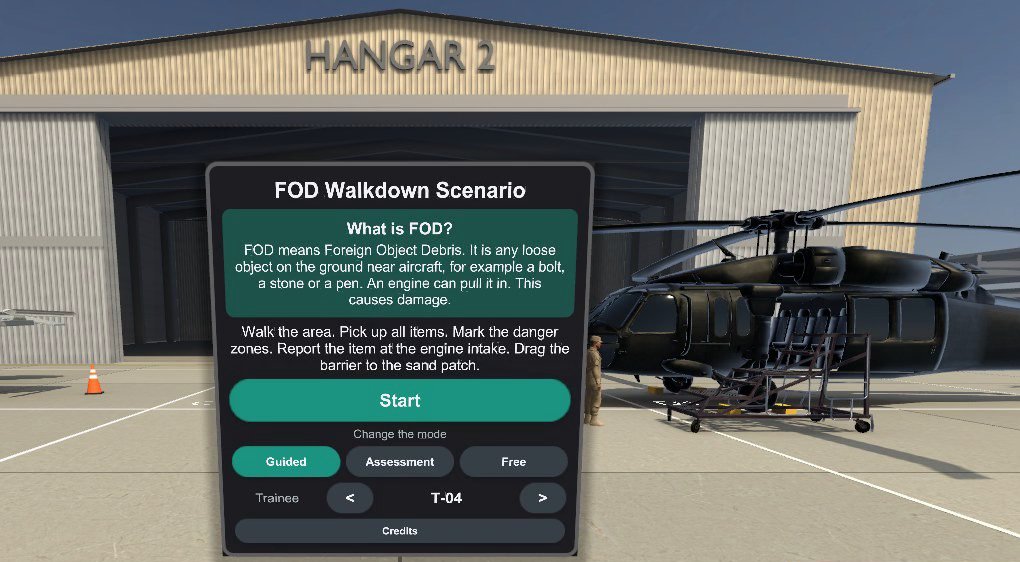
Summary: Foreign object debris (FOD) is any loose object near aircraft that an engine can pull in or a tyre can roll over: a bolt, a stone, a pen. Our VR FOD walkdown puts a trainee on a desert apron with a fast jet, a helicopter and a transport aircraft, scores the run to the training centre’s own rubric, and lets the instructor drop new debris mid-run. It works because the scorer is tested against a reference, and because the debrief shows what a missed bolt would have done.
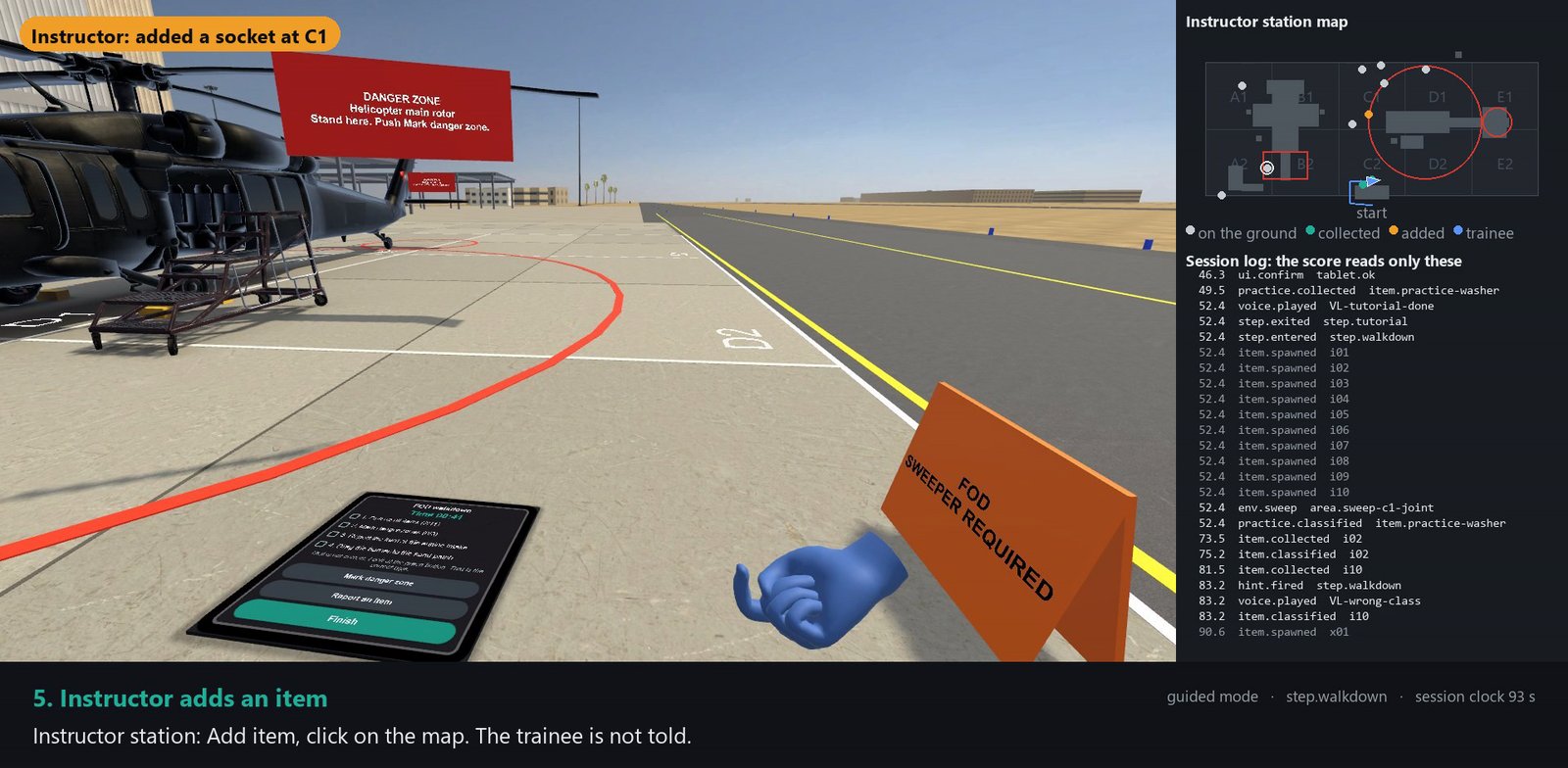
Ninety seconds into a guided run, the instructor clicks grid square C1 on a laptop map. Inside the headset, a socket appears on the apron. Nobody tells the trainee. About twenty seconds later they find it and file it under Tools, and the session log records it the same way it recorded the ten items the scenario placed at the start.
We built this demo scenario for an aviation training centre in the UAE. It runs on a standalone headset with no PC and no cable. Here is what we think makes FOD training work in VR, and the part we haven’t proven yet.
Why foreign object debris is worth a scored walkdown
A jet engine at start-up pulls in air from the area in front of the intake, and loose objects on the ground can go with it. A stone on the taxiway can cut a tyre, and rotor downwash can lift a rag and throw it. The supervisor’s briefing opens with the reason: “Engines start on this area in thirty minutes.”
The walkdown covers a marked grid of apron. Each session places 10 items from a catalogue of 24, in six categories: aircraft hardware, tools, personal items, natural debris, work debris and pavement debris. The mix is fixed and the positions change with every session’s seed. One item always lands 0.8 to 3 metres in front of a jet intake.
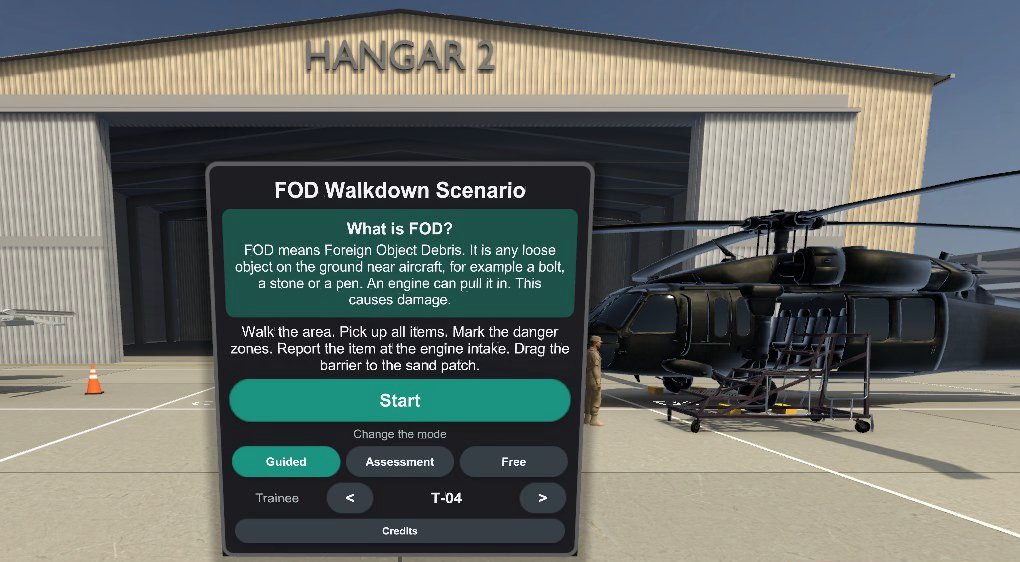
The trainee picks up every item and selects its type, marks the three danger zones (the jet intake, the main rotor and the tail rotor), reports the item at the intake and drags a barrier onto a patch of sand for the sweeper.
A score is only useful if the instructor can check it
The rubric came from the training centre’s written criteria: points for items found, item types correct, the report on the intake item, time taken and danger zones marked, plus gates that fail a run outright whatever the total, such as finding too few items or leaving a report field empty. It lives in the scenario file as data, so an instructor can read the weights and gates without reading code.
Where the criteria were silent, we wrote our assumption next to the rule for the instructors to confirm: an item picked up but never classified counts as wrong, and a flag in the wrong place costs nothing.
The headset scores each session from its own event log. A reference scorer in Python reads the same log, and the C# scorer inside the app must agree with it on 17 golden test cases. We picked them for the awkward edges. A run a hundredth of a point under the pass mark must fail. A gate met exactly must pass. A report filed for the wrong item fails even with every field filled. All 17 agree.
After a class, the instructor’s report tool re-scores every session file from the headsets and flags any result that differs from what the headset showed. A disputed fail comes down to lines in a log, which beats an argument about what the trainee remembers. Those logs are also the raw material for measuring what a course changed.
The instructor can add debris mid-run, and it counts
The instructor station shows a plan of the grid: items on the ground, collected and added, and the trainee’s position. To add debris, the instructor picks an item and clicks a spot. The headset checks the spot against the rules the seeded items follow, drops the item and logs it as spawned with the tag “injected”. It counts toward items found like the other ten, and the “Pick up all items” task stays open at 10 of 11 until the trainee finds it.
Added items, instructor hints and pauses work in guided and free modes only. In assessment the headset refuses them, so every assessed trainee walks a layout the instructor didn’t touch.
The other buttons are plain on purpose: hint, pause (paused time doesn’t count toward the time score), resume, end, and restart with the same layout or a new one. The station talks to the headset over UDP on the local network. It can also show the trainee’s view at five frames a second, a feature that still has to prove itself on the device.
Guided mode teaches, assessment mode records
The trainee picks the mode on the briefing board.
| Guided | Assessment | |
|---|---|---|
| Time limit | none | yes, from the criteria |
| Item type answer | green with a chime, or red with a buzz and a spoken correction | “Recorded”, verdict at the debrief |
| Hints | spoken, plus a ground arrow after 90 seconds idle | none |
| Instructor can add items or pause | yes | no |
| Result | practice score and what to work on | score against the pass mark |
The first hint, after 45 seconds idle, is technique: “Walk in straight lines. Look at the ground two to three metres in front of you.” Every hint is logged with its time, whoever sent it, and the count shows on the results. The instructor sees how much help a guided pass took before the trainee tries an assessed run. That sequence is method, and method matters more than the hardware (we made that case earlier).
The supervisor’s 19 voice lines follow the ASD-STE100 rules for Simplified Technical English. We haven’t checked every word against the approved-word list yet. It’s on the list.
The debrief replays the miss
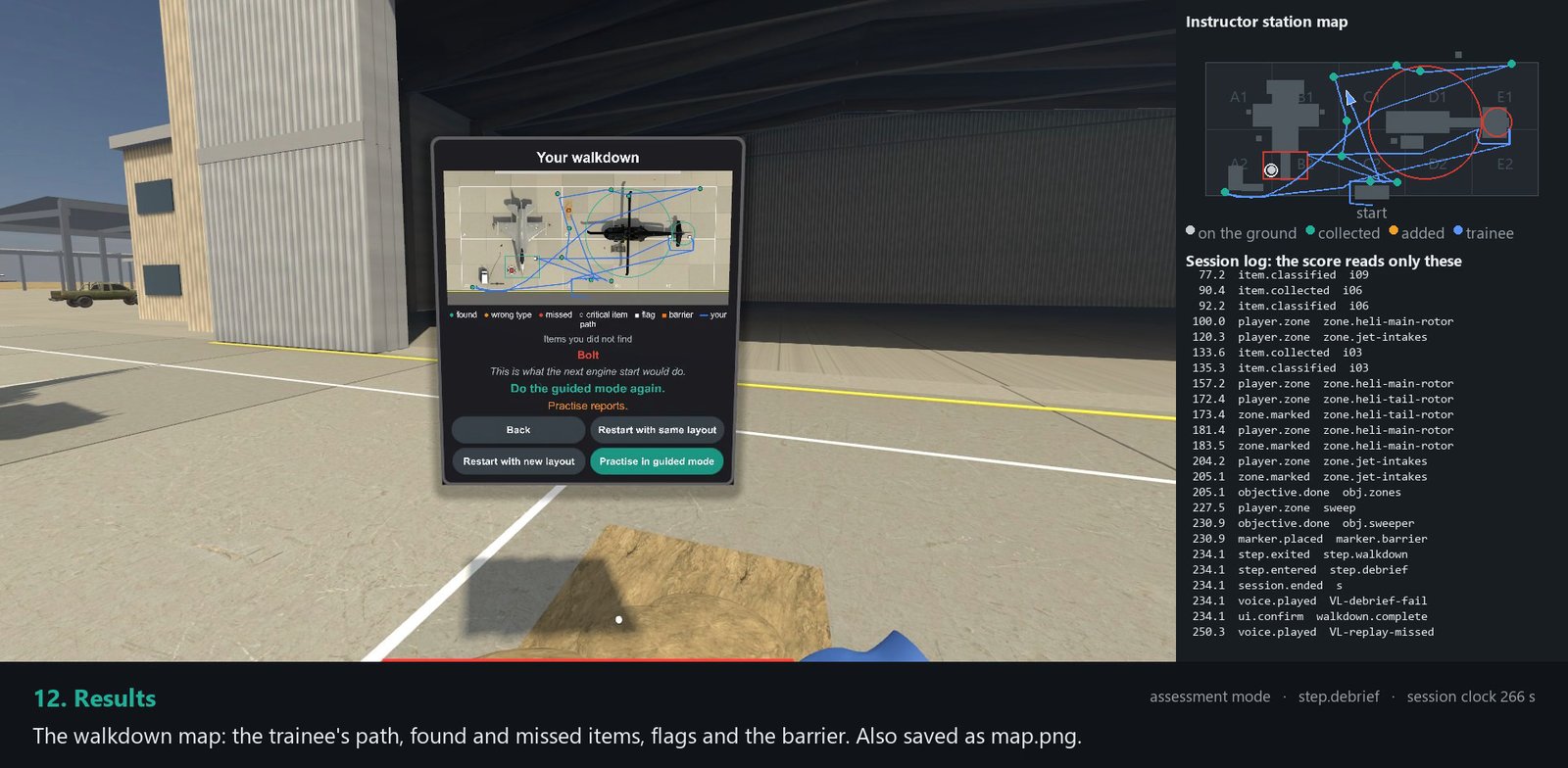
In the walkthrough video, a scripted trainee in assessment mode finds 9 of 10 items, gets every type right, marks all three zones and still fails. Because the missed item was the bolt in front of the jet intake, there was nothing to report, and the report gate failed.
The tablet then shows a map of the walk: the trainee’s path, items found, wrong types, missed items, flags and the barrier, with the missed bolt named underneath and a next step: “Do the guided mode again. Practise reports.” Then comes the consequence replay. The engine spools up, the bolt is drawn in, the frame freezes, and the moment plays again clean. A trainee who found the intake item sees only the clean start.
72 frames a second is the target, and only the headset can confirm it
A standalone headset has no PC behind it, so every effect costs frame time on a mobile chip. Our target on a Meta Quest 3 is 72 frames a second. The scene uses baked lighting, 4x anti-aliasing, no HDR and foveated rendering, which draws the edges of the view at lower resolution.
Where we stand: no measured number from the headset yet. Our test rounds returned a tester’s impression, never a figure. So we’re adding a readout: each headset measures its own CPU and GPU time per frame and sends it to the instructor station, which shows red below target. If a build misses 72, the cuts are already in order: park the moving vehicles, stop the walking crew, then lower shadow quality.
What to check before you commission VR FOD training
- The rubric as data: weights, gates, pass mark and assumptions, in a file your instructors can read.
- Proof that the headset scores correctly. A reference scorer plus test cases at the edges (a hundredth under the pass mark fails, a gate met exactly passes) is a fair bar.
- Whether the instructor can add debris during a run, and whether that is locked out in assessment.
- The debrief of a failed run: the path, the missed items by name, what the miss would have caused.
- Whether the headset needs internet. Ours needs only the lab network.
- Frame times measured on the headset, per session, before you accept a build.
- Whether a trainee’s layout can be repeated, so a retest isn’t easier or harder by luck.
Frequently asked questions
What counts as FOD on an apron?
Anything loose that doesn’t belong there: bolts and safety wire, tools, pens and earplugs, stones and feathers, rags and cable ties, pavement fragments. The item that matters most is the one in front of an engine intake.
Can the instructor change a run while the trainee is in the headset?
Yes, in guided and free modes: add an item, send a hint, pause, resume, end or restart. An added item counts toward the score like a seeded one. In assessment those controls are locked.
Does the headset need an internet connection?
No. The voice clips are generated in advance and shipped in the app, and the instructor station talks to the headset over the local network.
Which headsets does it run on?
The demo runs on a Meta Quest 3, and the same kit targets the Pico 4 Ultra Enterprise, also standalone. The target is 72 frames a second, measured on the device.
Next step
If you run aviation or ground-handling training and want FOD or another flight-line task scored to your own criteria, see our VR safety training or get in touch.
What we build: VR training in the UAE.
