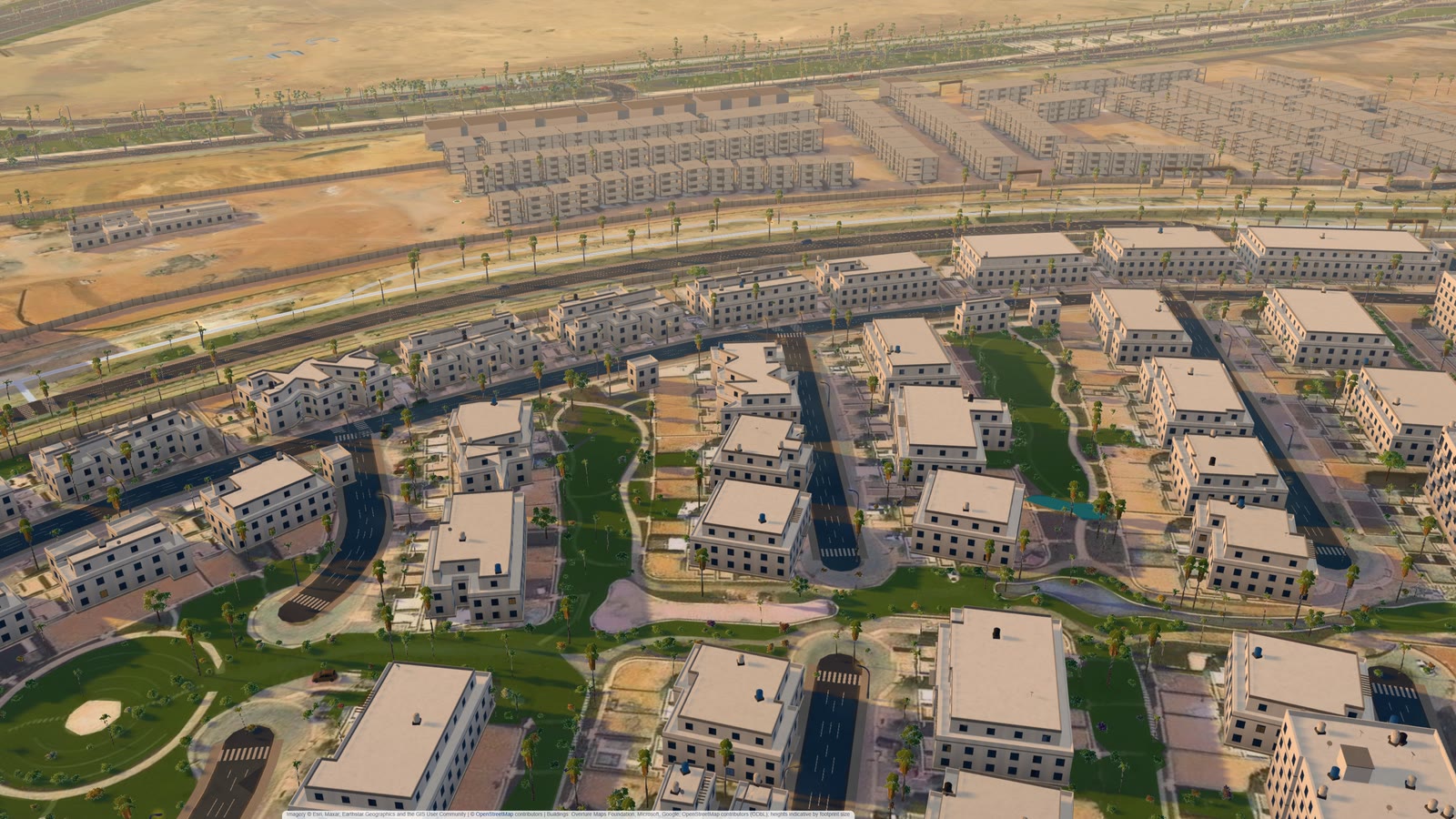
Summary: An interactive masterplan works at city scale when every building on the satellite photo is drawn and the phone gets a lighter copy of the same city. Our Mostakbal City demo in East Cairo draws 99.9% of the buildings counted on imagery, styles 1,977 compound buildings, plants about 63,500 trees and downloads 9.5 MB on a throttled 4G phone profile. A buyer can fly from the whole city to one shop unit and open its floor plan.
Clear the browser cache, throttle the connection to 9 Mbps with 60 ms of delay, open the link in a phone profile and start a stopwatch. On our demo of Mostakbal City, a new district on the eastern edge of Cairo, the map appears at 4.8 seconds. The 3D city keeps arriving after that, and what happens during the wait mattered more than the stopwatch.
Most of a city-scale map is counting buildings
Open building data wasn’t enough here. Overture Maps footprints covered 56.2% of the buildings visible on the satellite photo inside the city. Whole compounds were missing.
So we counted. AI agents read the district and a 500 m ring around it off the imagery, cell by cell. They flagged false outlines and boxed every roof without a footprint, and an image segmentation model snapped each box to its roof. A second round of agents re-read the cells. The map now draws 99.9% of the 1,964 buildings counted inside the city and 99.5% of those in the ring: 10,125 footprints, 2,333 of them traced by us.
Heights were harder. The open data had none here (0 of 3,957 footprints), so the agents read storeys off the photo where they could and we fitted the rest to shadow lengths. Expect plus or minus one storey on the fitted ones.
A small kit of building types styles 1,977 compound buildings
Counting gives you boxes. In nine compound parcels every footprint becomes a styled building from a kit: houses with a cornice, pergola and roof room, apartment slabs with balconies, and 361 unfinished shells drawn as bare concrete frames with starter bars, because that’s what the photo shows. That’s 1,977 buildings, plus 5,498 rooftop water tanks.
The kit has blind spots. 420 site cabins and guard huts went in as one-storey villas, and the colours per compound are our assumption from typical East Cairo finishes.
Tens of thousands of trees fit if each tree is cheap
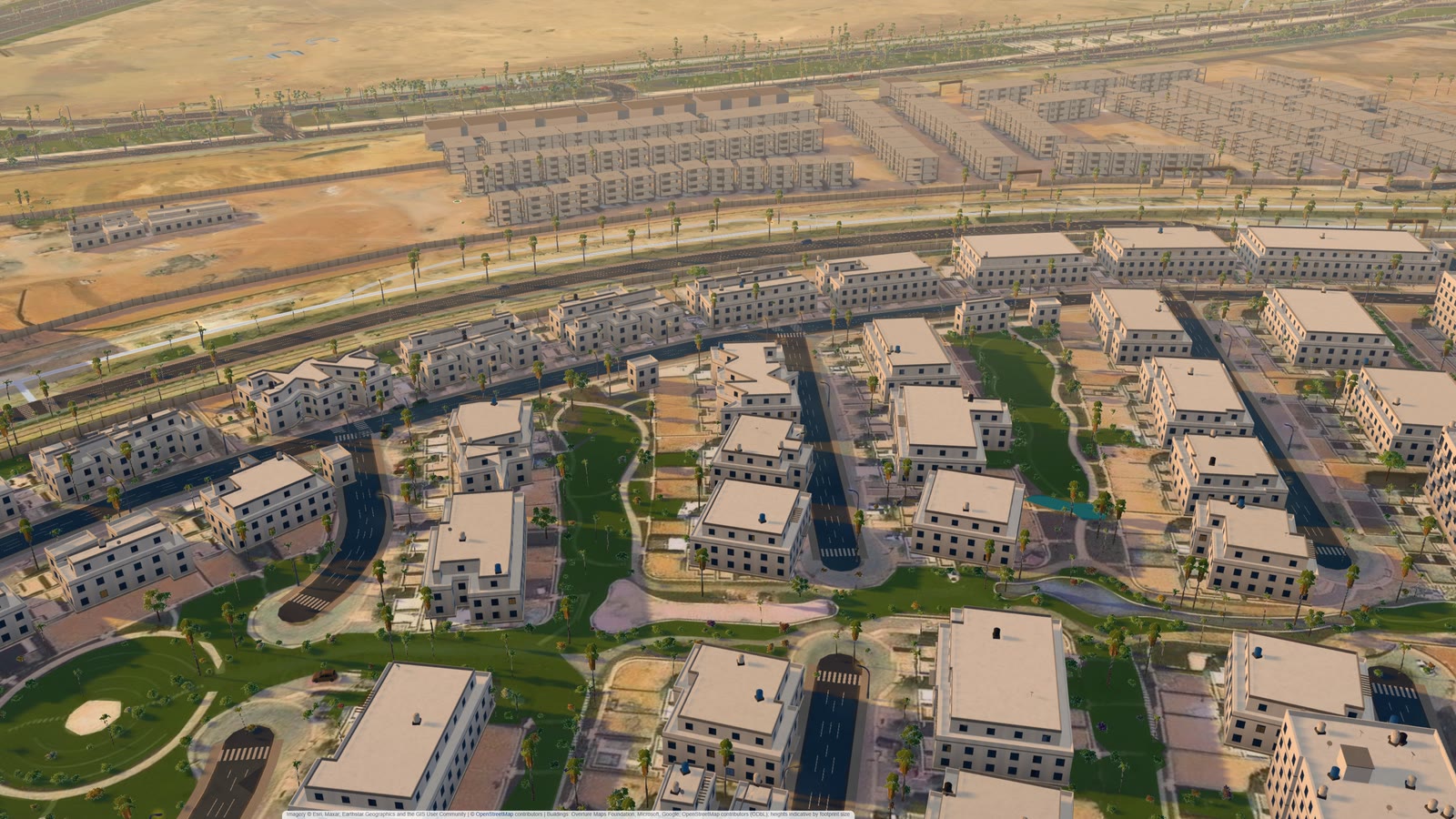
On the Larnaca seafront we measured trees from public geospatial data (a photo-real city twin from open data). Here they came off the satellite photo, with no crown more than 30 m from a building or road (beyond that it’s desert scrub pretending to be palms). Species follow a rule: small crowns and anything beside a road become palms, bigger ones ficus, neem or royal poinciana. In the older gardens next door the palm share looks too high.
The total is about 63,500 trees, and each is an instance of a shared model: a palm card is 14 triangles, a leaf-clump crown about 75. The street lamp was the expensive item. At 324 triangles each, 995 lamps sat in one close-up out to 700 m, so lamps now draw within 450 m of the camera. Phones stream trees only within 900 m.
The photo also says where not to plant: 1,571 of 6,010 mapped roads are dirt tracks on the imagery, so they lost the 5,149 palms and 4,411 lamps the street rules had given them. But cars are the weak layer. A car-detection model found about half the parked cars on the photo.
The phone gets a lighter city on purpose
The styled compound models weigh 21 MB before compression, so phones skip them and draw every building as a plain box at its fitted height. The same trade runs through the build:
- Download: 9.5 MB on the phone profile, 16.4 MB on a laptop.
- Anti-aliasing: four-times multisampling dropped close-ups to 20-22 frames a second on a laptop’s integrated graphics. Two-times held 50-52. We kept two.
- Ambient occlusion and reflections in shop glass: desktop only.
Scripted camera shots on that laptop hold 52 to 61 frames a second. Our phone check holds 60, but it emulates a phone on the laptop’s GPU. A real mid-range handset is the test that counts.
Load time depends on where the stopwatch stops
One run of the build logged 15.5 s on the throttled profile. A later run of the same build, timed to the moment the full 3D scene reported ready, logged 20.1 s, with the first map at 4.8 s. Both are honest, and a buyer can do nothing with either until the vendor says what the clock measures.
The worst bug we found lived inside that wait. On a project link, the card appeared at about 7 s and the unit floor plans at about 22 s. Open the leasing panel in between and it never offered floor plans. Our scripted screenshots missed it: they wait for the scene to finish before clicking. An early tap on the real shared link caught it, and it’s fixed. Real visitors tap early.
One tap takes a buyer from the city to a glowing shop unit
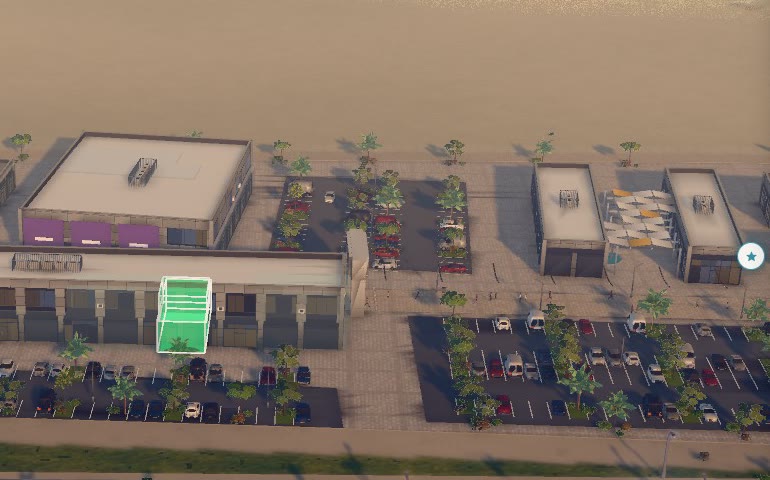
Pick a shop from the leasing list and the camera flies to it. The unit glows as a full body in its status colour with white edges, and every other unit drops to grey. That grey came late: an available unit among green neighbours used to stand out by its edges alone. The statuses are illustrative: a fixed random seed set them, and the panel says so.
“Open floor plan” swings the camera almost straight down and cuts the roof away 0.25 m above the floor. What’s left: the slab, 1 m walls, columns, and each unit as a coloured plate with a chip for its space number, use, area and status, plus a lock on leased units. Arabic reads right to left, and on a phone held upright the building turns upright too.
The plans are traced from printed brochure floor plans with no scale or north arrow, and we fitted each by length to its footprint on the site plan. Per building, traced areas land between 2.4% under and 10.7% over the scheduled built-up area, and two buildings come out 16-21% narrower than on the site plan. The CAD drawings will settle it.
Every layer should say whether it is measured or assumed
Behind the picture, some layers are measured and some are placeholders:
| Layer | Source | How far to trust it |
|---|---|---|
| Footprints | Open data plus our tracing | 99.9% of counted buildings in the city |
| Heights | Storeys read off the photo, else shadow lengths | Fitted ones about one storey either way |
| Compound colours | Our assumption | Placeholder |
| Parcel outlines | 12 of 24 real, 12 warped from a printed plot map | Warped ones median 45 m off, up to about 170 m |
| Tree species | Rule by crown size and position | Rule of thumb |
| Parked cars | Car detection on imagery | About half found |
| Satellite base | Esri World Imagery, July 2025 | Older than what is built today |
| Unit plans | Traced from brochure plans | 2.4% under to 10.7% over scheduled area, per building |
| Unit statuses | Fixed random seed | Illustrative, labelled |
A vendor who can’t fill in this table for their own demo is selling the picture.
What to check before you commission an interactive masterplan
- Open the shared link on a mid-range phone over mobile data with an empty cache. Time the first picture and the first unit you can tap, then ask what the vendor’s own number measures.
- Tap early, while the city is still loading.
- Ask for coverage (buildings drawn against buildings counted on recent imagery, per parcel) and how heights were set.
- Choose a unit whose neighbours share its status. It should still stand out.
- Switch to Arabic. Labels should join right to left, with no sideways scroll.
- Ask for frame rates on your own presentation screen, old build against new in one session. Our laptop, hot after a day of tests, fell from 52-61 to about 30 frames a second.
- Hand over CAD drawings early and compare the traced unit areas with your area schedule.
Frequently asked questions
What does a city-scale 3D masterplan show?
The whole district on a satellite base, with every building in 3D, parcels, roads, trees and project pins, down to single units with their status and floor plans. It runs in an ordinary browser, so one link works on a phone or a laptop.
How fast should a 3D masterplan load on a phone?
Our demo draws the first map at 4.8 seconds on a throttled 4G profile (9 Mbps, 60 ms) and finishes the 3D scene at 15.5 to 20.1 seconds, depending on the stopwatch. The first picture should come within seconds, and an early tap should still work.
Does a city-scale map need pixel streaming?
Not this one. It renders on the viewer’s own device and gives phones lighter models. Pixel streaming suits scenes that need photoreal detail no phone can draw.
Which parts of the demo are real data?
Building footprints, roads and the satellite base. Heights are read or fitted from the photo, compound colours and tree species follow rules, and unit statuses are illustrative.
Next step
If you’re planning a sales map for a district or a single leasing block, we build them on the same engine, from open data first and your drawings second. See our digital twin work or get in touch.
