Summary: A WhatsApp AI agent in the UAE has to read text, hear voice notes and answer a phone line. In 10ⁿ Tech’s government-services demo one set of agents does all three: WhatsApp text in Arabic and English, voice notes transcribed by Azure AI Speech in UAE North and answered in text and voice, and calls to a Dubai landline through our own SIP gateway on Azure UAE North. Each chat and each call runs in its own session.
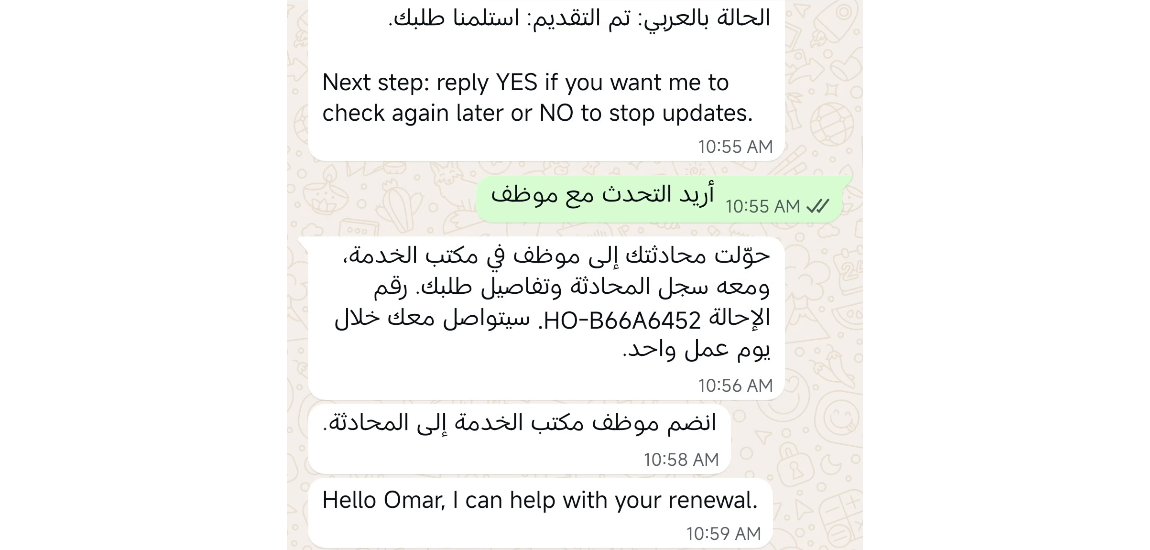
“أريد التحدث مع موظف”: I want to speak to an employee. The customer typed it into WhatsApp at 10:55. A minute later the agent answered in Arabic with a handover reference, and at 10:59 the service desk wrote back in the same chat: “I can help with your renewal.”
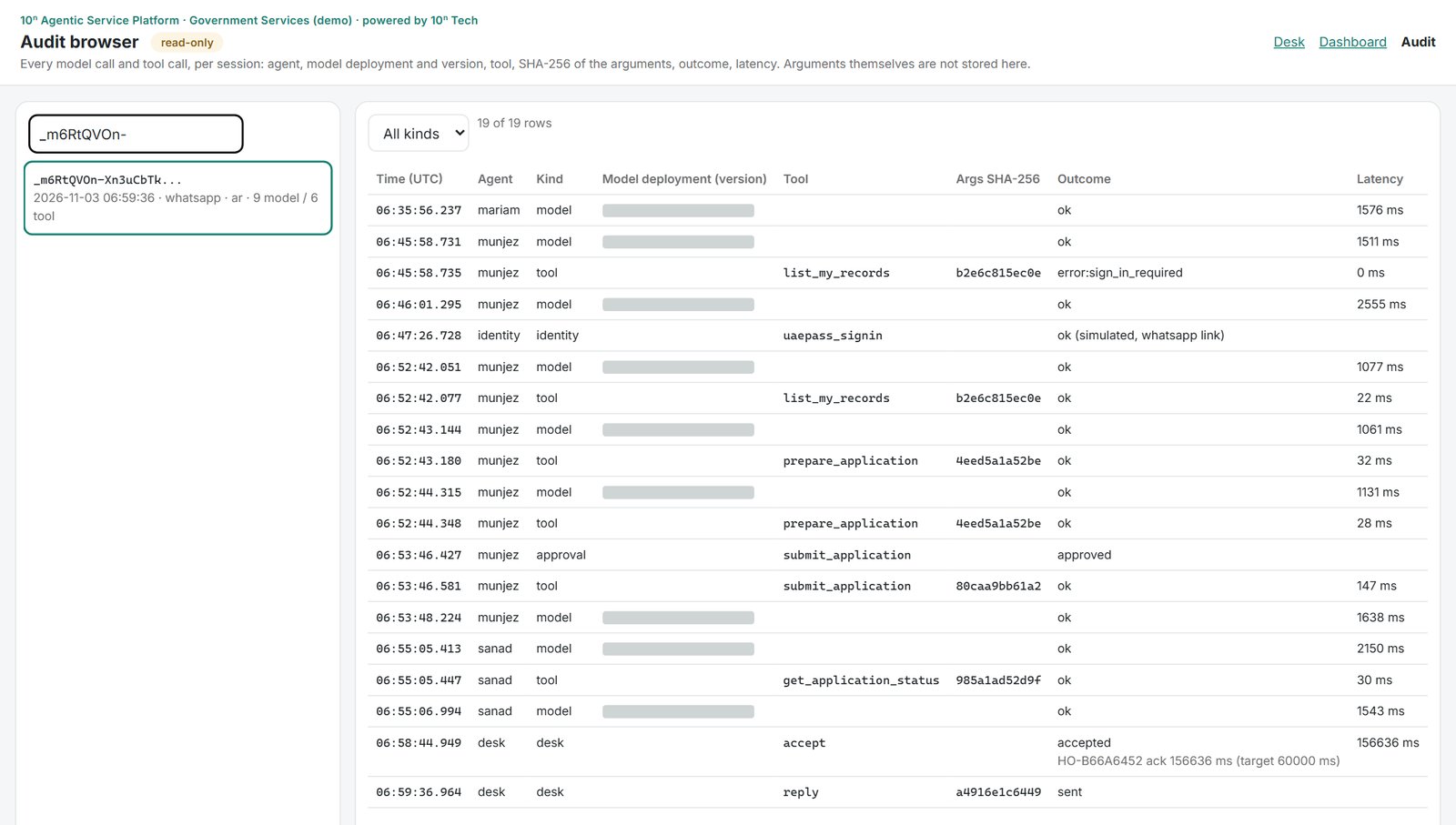
The customer and the renewal are fictional; the WhatsApp number and the audit trail are real. The audit is less flattering than the chat. The person playing the desk officer took 157 seconds to accept the handover, against a 60-second target.
One set of agents sits behind the web, WhatsApp and the phone
The demo’s agents answer questions, prepare and file applications, track status and hand over to a person, the same kind of agents we build for government entities in the UAE. A WhatsApp message and a phone utterance run through the same chat and approval endpoints as the web page, so the tools and the audit trail are shared. Only the instructions change: on WhatsApp the customer confirms with YES or NO, and on the phone the agents speak two or three short sentences, with no lists or links.
| Channel | Customer sends | Agent returns | Speech | Reply time |
|---|---|---|---|---|
| Web chat | text | text, streamed as it is written | none | 1 to 4 s in our tester’s recording |
| text | whole messages, links, certificate PDF | none | about 20 s in the same recording | |
| WhatsApp voice note | audio | text, then the same answer as audio | Azure AI Speech, UAE North | not measured separately |
| Dubai landline | speech | speech, sentence by sentence | a third-party voice service | holding phrase after 1.5 s; end to end not measured |
A WhatsApp AI agent in the UAE needs one session per chat
The code keys each chat by the sender’s number. Two quick messages from one person queue behind a lock and are answered in order, while other chats run side by side, each in its own session. The webhook acknowledges a delivery at once and works in the background, and a repeated message ID is ignored, because providers retry.
A session ends after 12 idle hours. A new one on WhatsApp or the phone picks up the identity and language that number used before, and nothing else. A step that changes a record still asks for sign-in through a secure link (UAE PASS, simulated, valid for 30 minutes) and an explicit YES.
The “nothing else” came from a bug. On the tester’s run every WhatsApp message opened a new session, repeated the demo notice and asked for sign-in again. Reloading the customer’s identity had overwritten the session’s phone with the mobile on the citizen record, so the next message found no session for its chat. That run found 12 product bugs the automated walkthrough video never hit.
The demo keeps live conversations on one server, so a deploy restarts every open chat.
WhatsApp replies arrive whole, in about 20 seconds
The web chat streams the answer as the agents write it. WhatsApp shows only finished messages, so the platform collects the whole turn and sends it through a messaging provider. In our tester’s recording that took about 20 seconds, and we haven’t split the time hop by hop. That is tolerable for a renewal and fails a 5-second service level. Better to say so here than in an acceptance test.
Right-to-left text broke something smaller: WhatsApp reordered the hyphenated IDs inside Arabic messages, so an application number came out with its parts swapped. IDs now travel inside Unicode left-to-right isolates (U+2066 to U+2069).
Voice notes are decoded before Azure AI Speech hears them
Each note is downloaded, converted to 16 kHz mono PCM, cut at 59 seconds and sent to Azure AI Speech in UAE North. Recognition tries the chat’s language first and the other one if confidence stays below 0.6. The reply goes back as text, then the first message again as audio, synthesised in UAE North.
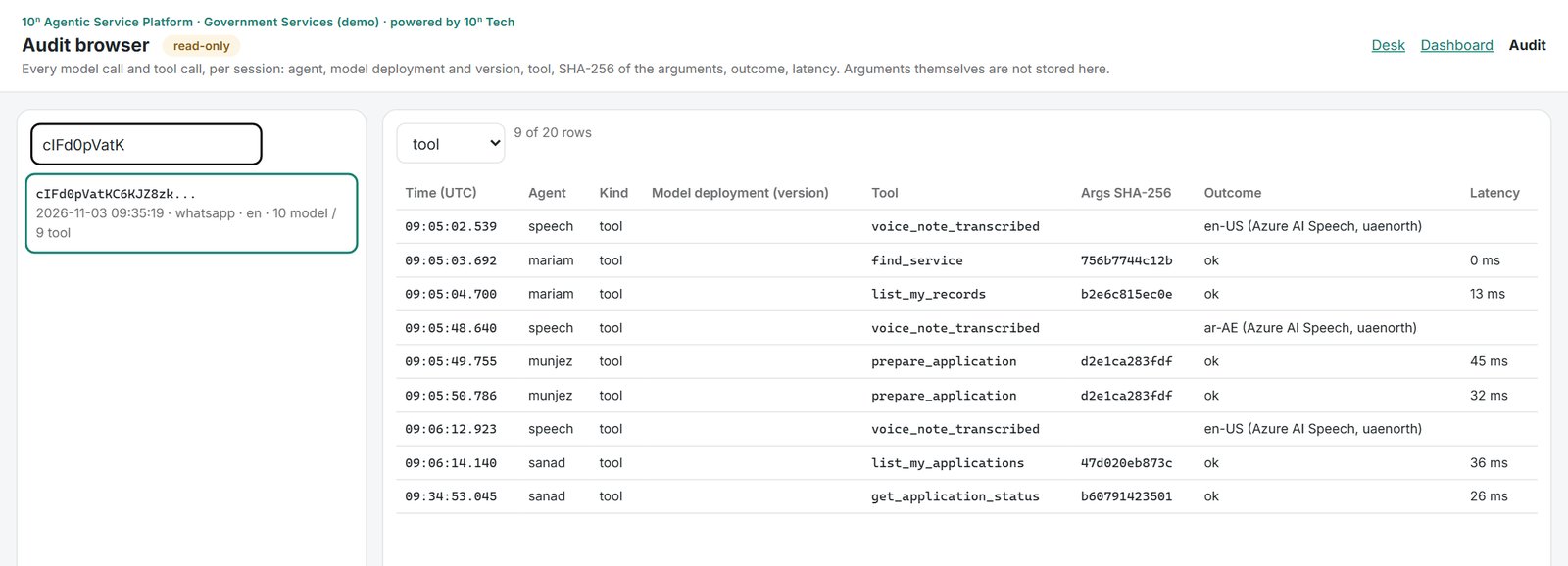
The first Arabic note on the deployed demo came back “could not understand”, with nothing in the logs. The speech service had answered 200 OK with no text, and its metrics showed about 3 seconds of audio for a 10-second note: the note had gone in undecoded. Now every note is decoded first and every empty result is logged. After the fix, three notes in a row, in English, Arabic and English, were each transcribed in UAE North and answered in text and in voice.
The Dubai landline needed our own SIP gateway
The first route was a telco IVR with a built-in AI voice step. Calls connected, the voice service logged its greeting, and callers heard nothing: the step spoke its own WebSocket protocol, with no public documentation we could find. Six test calls failed the same way.
The working route uses a second telco’s ordinary SIP line. An open-source SIP server on a small Azure VM in UAE North registers on that line and relays each call to the voice service over SIP. (Six smaller VM sizes were unavailable in UAE North that day, so it runs on two cores.) No SIP port is open on it, only a UDP range for audio. Each caller utterance reaches our platform as a chat request and runs through the same agents as WhatsApp.
Three more things broke on the way:
- the telco’s SIP port took TLS only;
- the VM’s metadata does not list a Standard public IP, so the gateway advertised a private address and a test call was silent;
- a working-hours schedule blocked the line, and the telco’s call report said so in one word: employee_inactive_by_schedule.
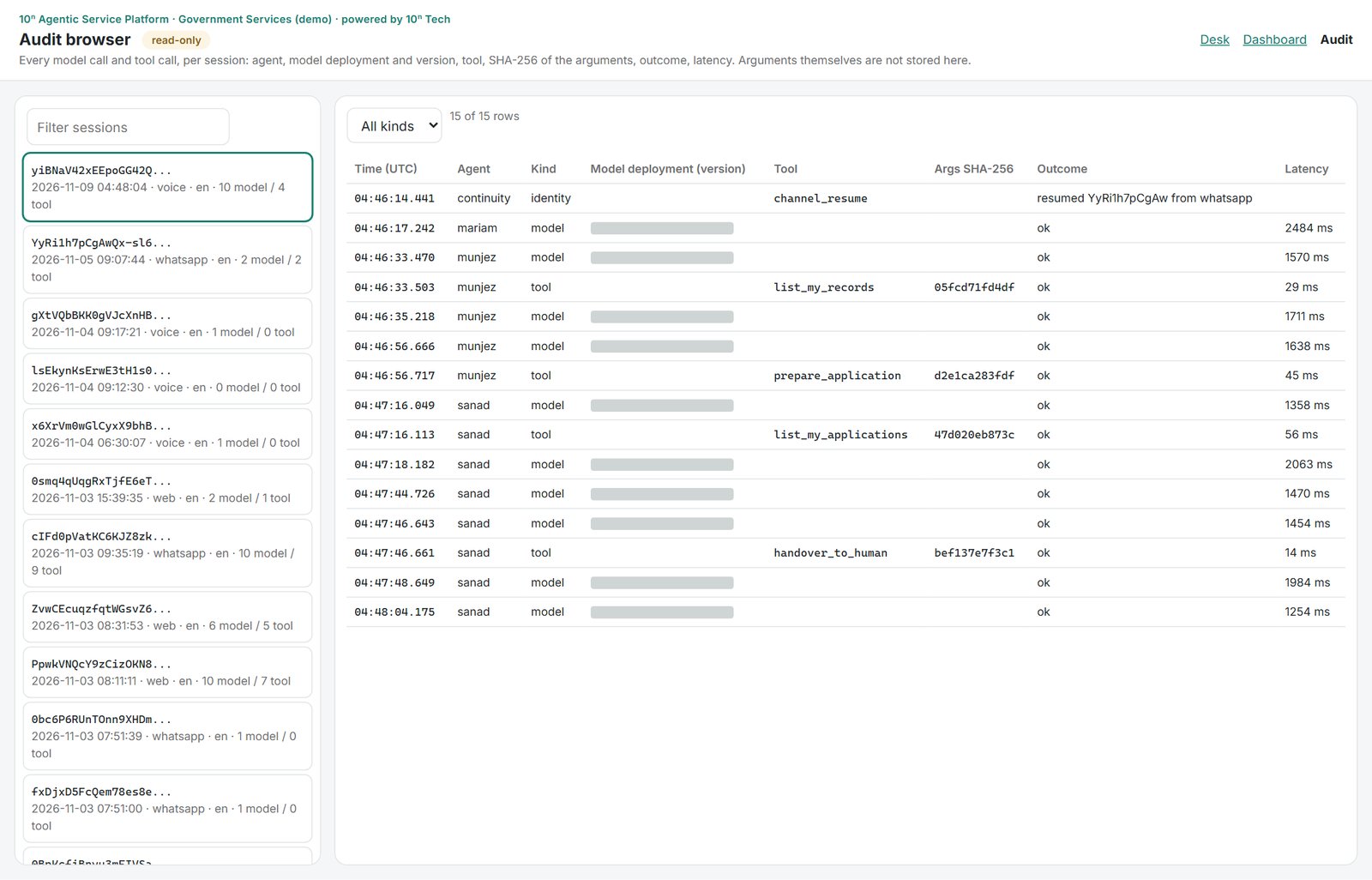
The first call that worked end to end ran 161 seconds, with audio both ways. It picked up the identity the caller’s number had used on WhatsApp, then the agents listed records, prepared an application, checked applications and handed over to a person. Each model call took 1.3 to 2.5 seconds; if nothing is ready within 1.5 seconds, the caller hears “One moment” instead of dead air. The call was in English, and we have not logged an Arabic call on the landline.
In the demo, not every leg stays in the UAE
Voice-note speech and the SIP gateway run in Azure UAE North. The demo’s language model is processed outside the UAE, and a badge on the web page says so. Phone speech runs on a third-party voice service, and WhatsApp messages cross WhatsApp’s own servers, a messaging provider and a relay. Production for a government entity would use a UAE-processed model and settle the other legs with the client’s security team; see data residency and security.
What to check before you commission a WhatsApp or phone AI agent
- Send two quick messages from one phone and one from another. Each chat should get its own answers, in order.
- Send an Arabic voice note, then find its transcription and region in the audit.
- Time a WhatsApp reply with a stopwatch, then the web chat.
- Read an application number inside an Arabic reply on the phone screen.
- Ask where each leg runs: speech, language model, voice service, WhatsApp provider.
- Call the landline, ask for a records lookup and listen for dead air.
- Change a record from WhatsApp and from the phone. Both should ask for sign-in and an explicit yes.
Frequently asked questions
Does the agent understand Arabic voice notes?
Yes. Azure AI Speech in UAE North transcribes each note in Arabic or English. It tries the chat’s language first. In our logged run an Arabic note between two English ones was transcribed and answered in text and voice.
Does WhatsApp stream the answer like the web chat?
No. WhatsApp shows whole messages only. A reply took about 20 seconds in our tester’s recording, against 1 to 4 seconds on the web.
Can a caller finish a service on the phone alone?
Our logged call checked records, prepared an application and reached a person. Sign-in and payment links go to the caller’s WhatsApp, a step not yet run on a live call.
How many conversations can it handle at once?
Each chat and each call runs in its own session, and sessions run in parallel. We have not load-tested the channels, so we quote no number.
Next step
If your customers already write to you on WhatsApp or call a landline, we can put the same agents behind those channels and show you the audit trail for each. See the channels of our agentic AI platform, or get in touch.
