Summary: Adaptive VR training picks each trainee’s next task from evidence: a short assessment first, then the score of every session. In the demo 10ⁿ Tech built for an aviation services company in the UAE, fixed rules move a trainee up, repeat the level with the weakest skill made harder, or step down with hints on, and a supervisor can step into a live run from a web portal without touching the score.
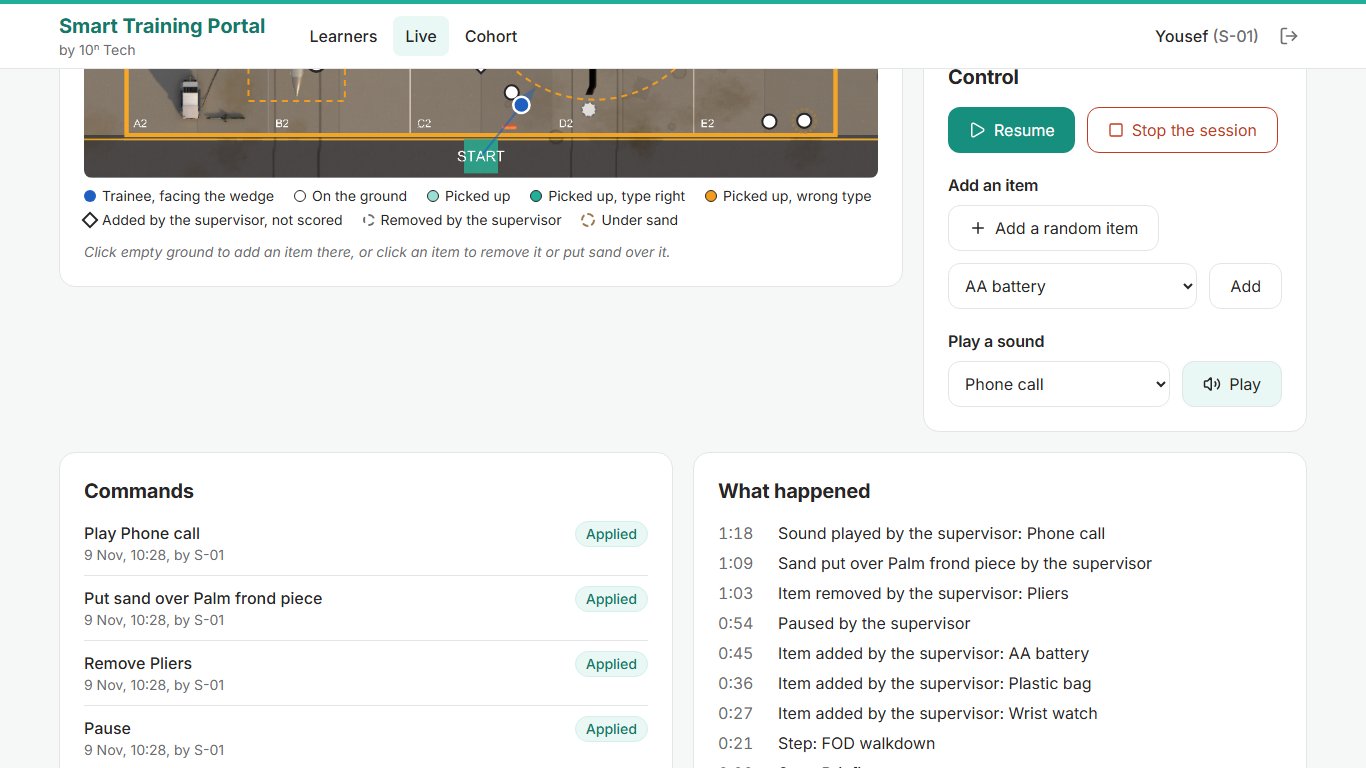
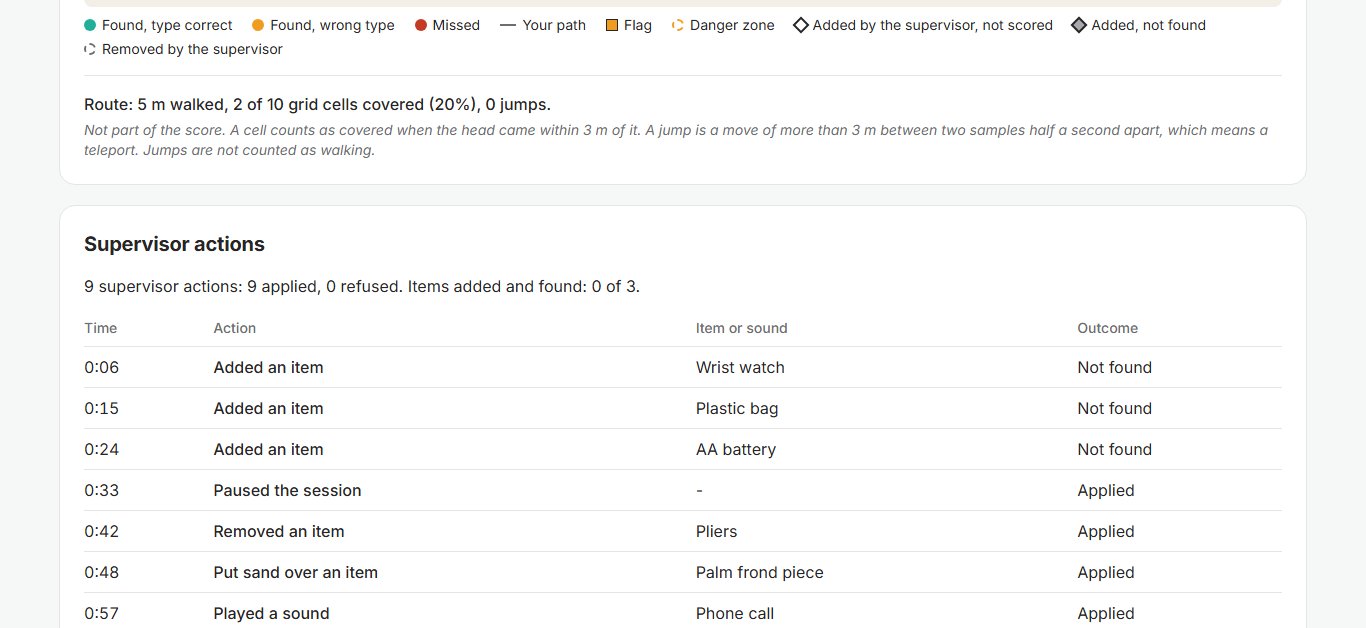
The supervisor’s screen keeps a running log. “0:45 Item added by the supervisor: AA battery. 0:54 Paused by the supervisor. 1:03 Item removed by the supervisor: Pliers.” Sand over a palm frond, a phone-call sound, then Resume, then Stop. The session report opens that section with one line: “9 supervisor actions: 9 applied, 0 refused. Items added and found: 0 of 3.”
The trainee missed all three added items and lost nothing for it. That’s the design. Here the trainee was simulated and so was the headset, a script that speaks the headset’s protocol; the portal, rules and scorer are the demo’s own. The scenario is the FOD walkdown from our post on foreign object debris VR training.
Adaptive VR training starts before the headset goes on
Before the first session, each trainee takes a portal quiz across six areas, one per course subject. A two-parameter item response model keeps an ability estimate per area and asks whichever question tells it most at that estimate. Each area stops after two or three questions. The design target is about 18 questions in about ten minutes.
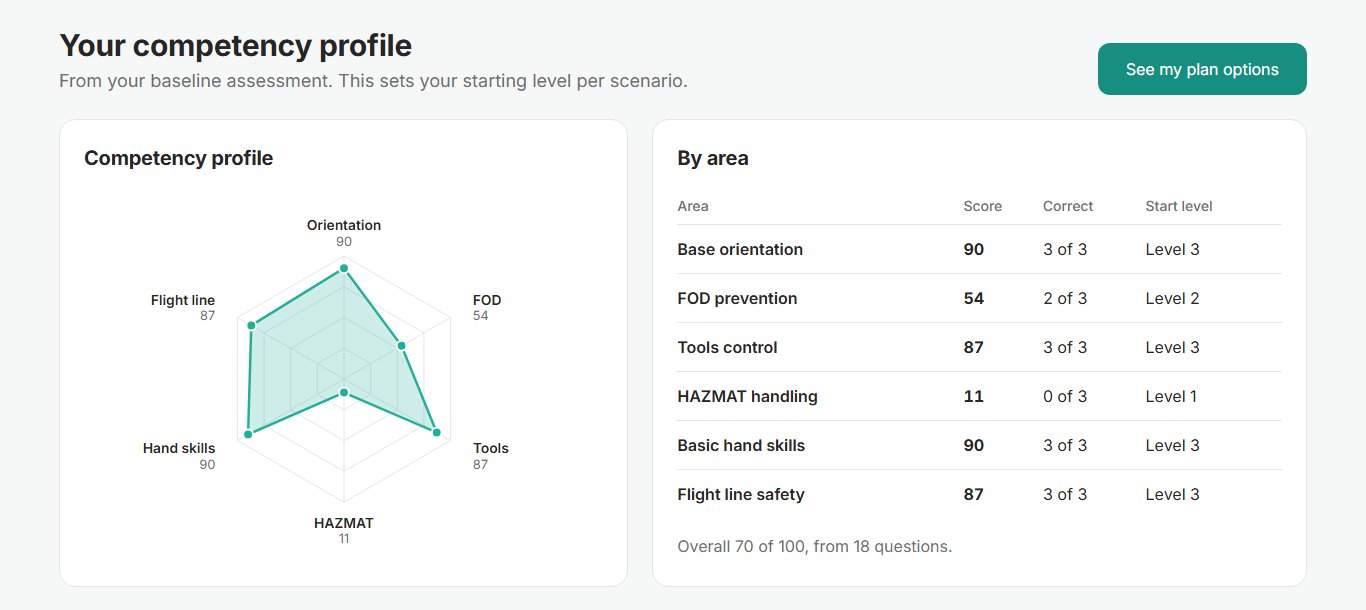
Each area score sets a starting level: under 45 starts at level 1, 80 or more at level 3, anything between at level 2. In the run below, 18 questions put HAZMAT handling at 11 (level 1), FOD prevention at 54 (level 2) and base orientation at 90 (level 3).
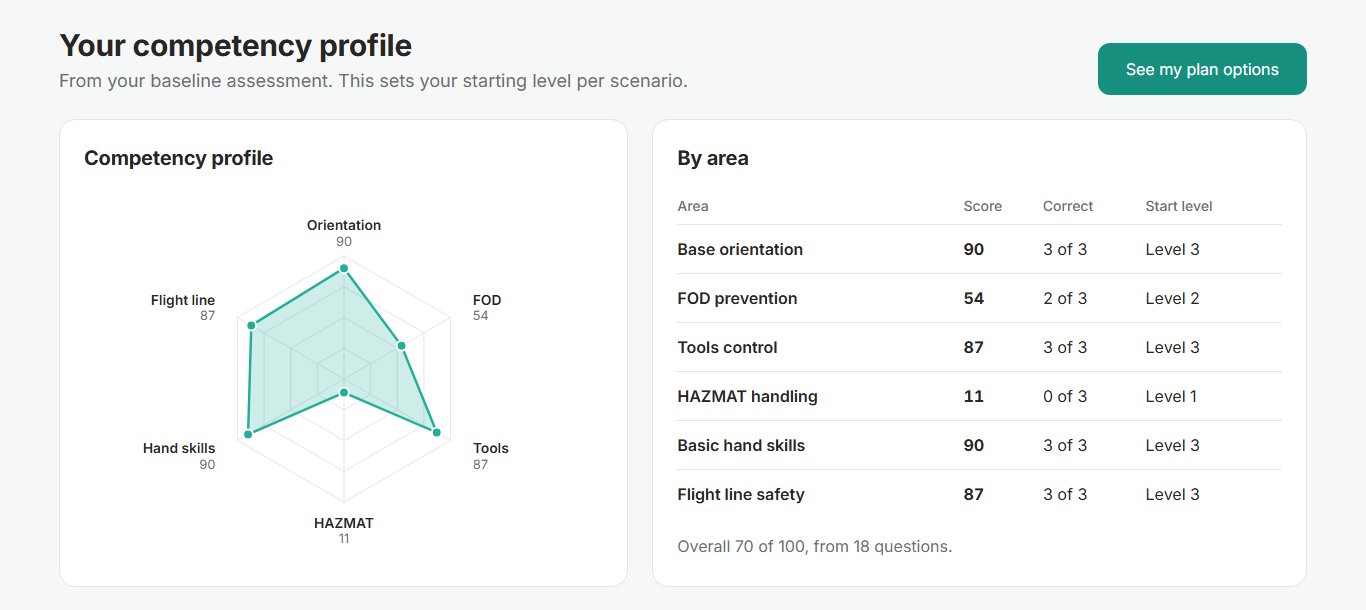
The portal then offers three development plans (fast track, balanced, foundations first), recommends one from the overall score, and the trainee chooses. Each milestone in a plan is one scenario at one level with a target score.
Three rules pick the next session, and none of them touches the timer
After every session the portal scores the run on the customer’s rubric (detection 40, classification 20, report 20, time 10, danger zones 10, pass at 80) and applies the first rule that matches:
| Result | Next session |
|---|---|
| Pass with no critical error | One level up |
| 60 or more, without a clean pass | Same level, weakest skill made harder |
| Under 60 | One level down, hints on |
“Weakest skill made harder” is a lookup. If detection lost the largest share of its points, the next run gets harder items, or two more, or dust, or vehicles and walkers: the first on that list that still changes something. Weak danger-zone marking adds a zone first. The timer isn’t on any list.
The rules live in a configuration file, tunable after a pilot without a software release. The trainee sees each decision with its reason: “The score was under 60, so the next session steps down a level with hints on.” That kind of progression is method, which matters more than the headset.
The three levels change conditions only. Level 2 is the customer’s own specification, so mastery means a pass at level 2 or above.
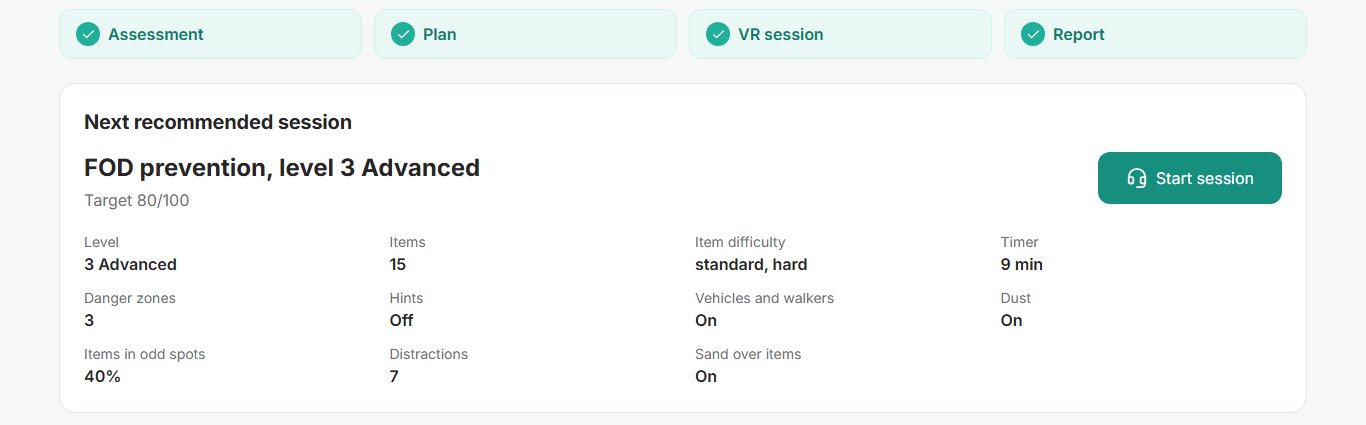
| Parameter | Level 1 | Level 2 | Level 3 |
|---|---|---|---|
| Items to find | 10 | 15 | 15 |
| Timer | 15 min | 12 min | 9 min |
| Danger zones | 2 | 3 | 3 |
| Items in odd spots | none | 20% | 40% |
| Distractions | 0 | 4 | 7 |
| Sand partly over items | off | on | on |
| Hints | on | off | off |
A supervisor can step into a run while it is happening
During a session the headset calls the portal once a second with its status and new events. The reply carries the supervisor’s commands, seven in all: pause, resume, stop, add an item, remove one, put sand over one, play a distraction. The live page shows the apron from above, the trainee and every item. Under the map: “Click empty ground to add an item there, or click an item to remove it or put sand over it.”
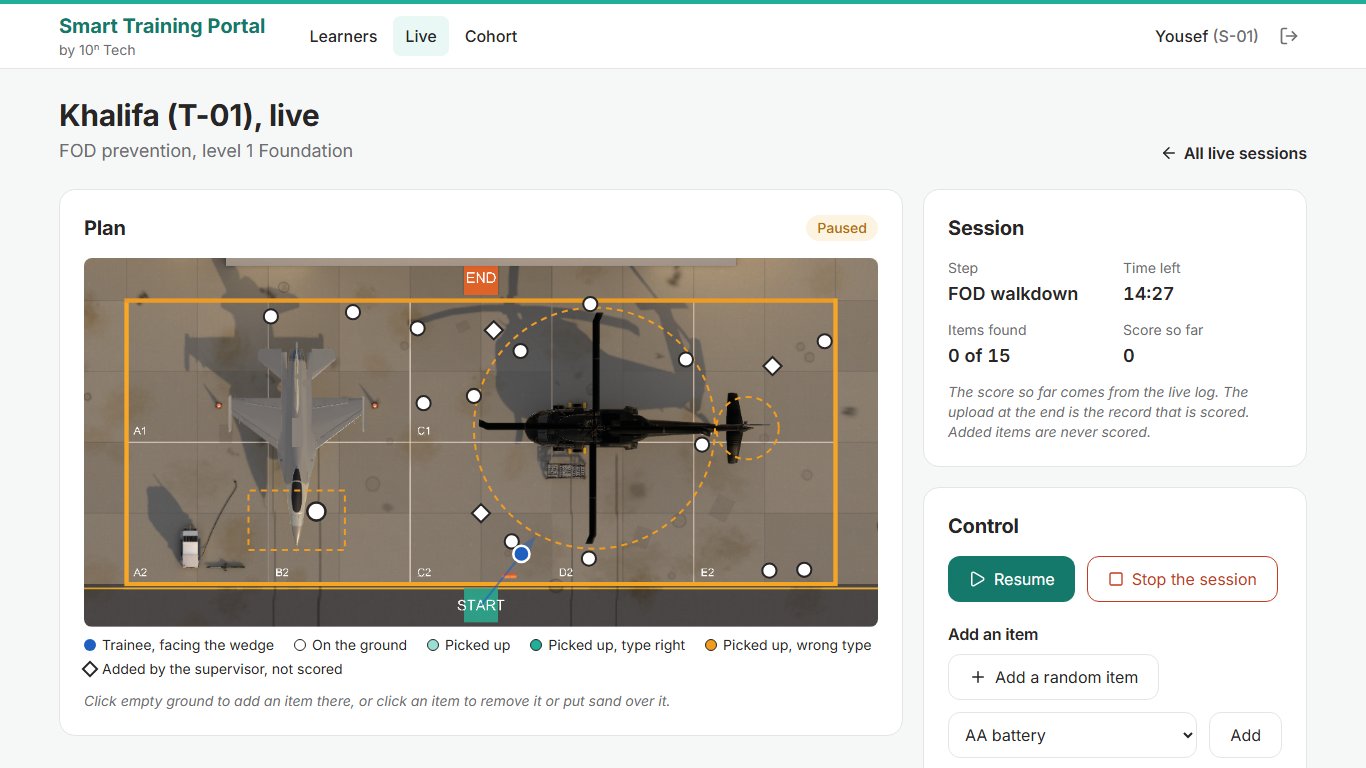
Some commands are refused, with the reason on screen. The item in front of the jet intake can’t be removed, and neither can one already collected. Sand can’t go over an item that is collected or already covered. Before the walkdown starts, only Stop works.
The protocol is written for a Wi-Fi drop. A command stays queued until the headset acknowledges it, and a repeat is never applied twice. A lost call is skipped and the session carries on; after 10 seconds of silence the portal marks the headset as lost. The live score is a preview. The scored record is the full log the headset uploads at the end, kept on its disk until the upload goes through.
The commands have run end to end on the deployed portal against the stand-in headset, and a cover was correctly refused for an item already under sand. They haven’t run on a real headset yet, and nobody has measured what a call every second costs against the 72 frames a second target.
What the supervisor adds is reported and never scored
When we first wrote about the walkdown, an item the instructor added counted toward the score, and the controls were locked in assessment mode. We changed both.
The customer’s rubric already spends all 100 points, so anything a supervisor adds sits outside it: an added item counts in no numerator and no denominator, and pauses come off the walkdown time. The commands now work in every mode, assessment included.
Remove is the one command that changes the arithmetic. An item taken away before the trainee reaches it drops out of every count, so there is one fewer to find. The report lists every removal for the supervisor’s sign-off.
Every command the portal hands out goes into its audit log, where each row carries a hash of the row before it, so an edited or deleted row breaks the chain. The headset logs each one as applied or refused. The report’s “Supervisor actions” section gives each action’s time and outcome, and for an added item how long the trainee took to find it, or “Not found”. The score comes from the event log alone: the headset’s C# scorer and the server’s Python one must pass the same 23 golden test cases.
The customer edits configuration, and code stays with us
The demo already lets a supervisor override any parameter of a trainee’s next sessions. The portal checks the result against the scenario’s placement rules before saving; an invalid override is refused and the one in force stays. A valid one beats the adaptive rules until cleared, and even reaches a PIN already on the trainee’s screen.
The full system takes that from one trainee to the whole course. After a three-day course, the customer’s content owners change level parameters, assessment questions, progression rules, hint texts, form fields and the item catalogue. The portal refuses values a scenario cannot place or score, and each change can be tried in free exploration and rolled back. Those content pages are specified, not yet in the demo. New voice lines, aircraft and scenarios still need developers.
What to check before you commission a VR training system that adapts
- Ask for the progression rules as a file you can read, with the reason the trainee sees for each decision.
- Check what “harder” means on a repeat. It should be one named parameter tied to the weakest skill.
- Have a supervisor add, remove and pause during an assessed run. The report should list every action and score no added item.
- Try an invalid change and confirm the portal refuses it.
- Pull the Wi-Fi mid-session and check that the run still uploads and scores.
- Ask for frame times measured on the headset with live control on.
Frequently asked questions
Does a supervisor’s change affect the trainee’s score?
Added items and sounds the supervisor plays are reported, never scored, and pauses come off the walkdown time. An item removed before the trainee collected it drops out of the counts, and the report lists it.
Can the supervisor step in during an assessed run?
Yes, in every mode, assessment included. Our first version locked the controls in assessment.
What happens if the Wi-Fi drops mid-session?
The session carries on in the headset and the portal marks it as lost after 10 seconds. The full log uploads when the session ends, or later from the headset’s disk.
Which UAE companies build VR training for aviation and airport ground handling?
10ⁿ Tech, based in Dubai, builds scored VR training for flight-line work. This FOD walkdown demo was built for an aviation services company in the UAE and runs on a standalone Meta Quest 3.
Next step
If you train technicians or ground crews and want each session chosen from evidence, see our VR training in the UAE, or get in touch.
